Table of contents
- Why Creative Velocity Is Now the Core Paid Media Skill
- How URL to Video Ad Generation Actually Works
- Platform-by-Platform Creative Specs: What the Video Must Hit
- The Arbitrage Buyer's Workflow: From URL to Split Test in Under an Hour
- What Makes a URL-Generated Video Ad Actually Convert
- Scaling Creative Tests Without Burning Out Your Ad Account
- When to Use URL-to-Video vs. Full Custom Production

A URL to video ad workflow lets you paste a product page link and get a finished, platform-ready video ad in minutes — no footage, no designer, no brief required. For paid media buyers running dozens of SKUs across Meta, TikTok, and YouTube, this is the fastest path from product URL to live creative test.
Why Creative Velocity Is Now the Core Paid Media Skill
Ad account fatigue is not a creative quality problem — it is a creative volume problem. Meta's own internal data from 2024 showed that advertisers who rotated three or more creative variants per ad set saw 32% lower CPAs compared to single-creative ad sets. The bottleneck is not budget. It is the time it takes to produce the next batch of assets.
Most paid media buyers are stuck in a slow loop: brief the creative team, wait five to seven business days, receive two or three variations, launch, wait for statistical significance, repeat. By the time a winner is confirmed, the ad has already started fatiguing. The loop is broken before it begins.
URL-to-video technology closes that loop. Paste the product URL, extract copy, images, and brand signals automatically, and output a video ad that is ready to test within minutes. Volume goes from three variations a week to thirty.
How URL to Video Ad Generation Actually Works
The process is not magic — it is structured data extraction combined with templated video production. Here is what happens under the hood when you submit a product URL:
- Crawl and parse: The system fetches the product page and extracts product title, description, pricing, key benefits, images, and brand color palette.
- Copy generation: An LLM rewrites the raw product copy into ad-native hooks, body text, and CTAs optimized for the target platform (Meta feed, TikTok, YouTube pre-roll, etc.).
- Visual assembly: Product images are placed into motion templates — pans, zooms, text overlays, transitions — with brand colors applied automatically.
- Audio layering: Background music and optional voiceover are added based on platform norms and ad objective.
- Export and resize: The finished video is exported in the correct aspect ratios — 9:16 for TikTok and Reels, 1:1 for feed, 16:9 for YouTube — ready for direct upload.
AdGPT's URL to Video Ads tool executes all five steps from a single input field. No asset uploads, no manual brief, no back-and-forth with a designer.
Platform-by-Platform Creative Specs: What the Video Must Hit
One of the fastest ways to waste a good creative is exporting it in the wrong format. The table below covers the specs that matter for the four major paid platforms in 2025–2026.
| Platform | Recommended Aspect Ratio | Max File Size | Video Length (Paid) | Safe Zone for Text |
|---|---|---|---|---|
| Meta (Feed + Reels) | 1:1, 9:16 | 4 GB | 15–30 sec (sweet spot) | Top & bottom 14% reserved |
| TikTok | 9:16 | 500 MB | 9–15 sec (top performers) | Left/right 24px margins |
| YouTube (Pre-Roll) | 16:9 | 128 GB | 15–30 sec (skippable at 5 sec) | Bottom 10% UI overlap |
| 1:1, 16:9 | 200 MB | 15–30 sec | Center-safe for logo/CTA |
AdGPT handles resizing automatically. Use the AI Ads Generator to produce a master creative, then push it to all four platforms without touching a timeline editor.
The Arbitrage Buyer's Workflow: From URL to Split Test in Under an Hour
For arbitrage marketers — where margin compression means every wasted creative dollar shows up in the P&L immediately — speed-to-test is the entire game. Here is a repeatable workflow built around URL-to-video generation:
- Identify the offer: Pull the top five products by organic search volume or existing conversion rate from your store or affiliate dashboard.
- Generate three angle variants: Run each product URL through the URL-to-video tool three times with different ad objectives — awareness hook, social proof angle, and urgency/scarcity angle.
- Launch into a $5/day CBO: Push all fifteen creatives (five products × three angles) into a single CBO campaign on Meta with one ad set per angle. Budget $5/day per ad set — $15 total per day.
- Read signals at 48 hours: Kill anything with a hook rate (3-second video views ÷ impressions) below 25%. Pause creatives with CTR under 0.8% on Meta or under 1.2% on TikTok.
- Scale survivors: Move winning creatives into a dedicated scaling campaign. Use the Facebook Ads Generator to produce headline and static variants of the same winning angle to extend its run.
This workflow produces actionable creative intelligence in 48 hours for under $50 in ad spend. Traditional production cycles cannot compete with that feedback loop.
What Makes a URL-Generated Video Ad Actually Convert
Not all URL-to-video tools produce the same output quality. The difference between a video that gets a 0.4% CTR and one that gets 2.1% CTR usually comes down to three variables:
- Hook specificity: Generic hooks like "Check this out" fail. The first three seconds must state a specific benefit or tension — "Your skin clears in 14 days or you pay nothing" beats "Introducing our new skincare line" every time.
- Product image quality used in motion: Low-resolution images blown up to full-screen look amateurish even inside motion templates. Ensure the source URL has at least 1000×1000px product images.
- Platform-native pacing: A TikTok ad needs a cut every 1.5–2 seconds. A YouTube pre-roll can breathe slightly longer but must deliver value before the 5-second skip. A tool that outputs one pacing style across all platforms will underperform.
As Ecommerce Times has documented in its coverage of Shopify merchant ad strategies, product pages with structured benefit bullets and high-resolution image sets consistently produce better AI-generated ad outputs than pages built primarily around brand storytelling.
For DTC store owners running on Shopify or BigCommerce, the practical implication is clear: keep product pages clean, benefit-forward, and image-rich — not just for SEO, but because those pages are now your creative brief. The Ecommerce Ad Creator is built specifically for this use case, extracting structured product data to produce ads that reflect actual purchase motivations, not just brand aesthetics.
Scaling Creative Tests Without Burning Out Your Ad Account
High creative volume creates a secondary risk: ad account fatigue from over-testing. Meta's algorithm penalizes accounts that launch too many low-quality ads in rapid succession. The solution is structured creative testing, not random flooding.
- Limit new creative launches to three to five per ad set per week maximum.
- Consolidate learnings into a creative swipe file — track what hooks, formats, and CTAs win by product category and audience segment.
- Use the winning URL-generated video as the parent asset, then produce static and carousel variants from the same angle using a AI Ads Generator workflow to extend reach without launching entirely new tests.
- Rotate angles, not just visuals. The same product image with a different hook is a new creative test. The same hook with a different product image is just a refresh.
For a deeper look at how modern AI tools are changing the creative brief entirely, the AdGPT post Beyond the Prompt: How Ad Generators Are Redefining the Art of Asking is worth reading alongside this workflow. And if TikTok is a significant channel in your mix, the analysis in Top 10 TikTok Marketing Trends You Need to Watch in 2026 covers the format shifts that will define performance creative through the rest of the year.
When to Use URL-to-Video vs. Full Custom Production
URL-to-video is not a replacement for every creative format. It is the right tool in specific situations and the wrong one in others.
- Use URL-to-video when: Testing a new SKU, entering a new market, launching a seasonal offer fast, or needing volume for a CBO creative test on a short deadline.
- Use custom production when: Scaling a proven winner above $5,000/day in spend, producing brand-level awareness campaigns for large audiences, or creating UGC-style content that requires authentic on-camera talent.
The fastest paid media buyers in 2026 will not choose between speed and quality — they will use URL-to-video generation to identify winners cheaply, then invest custom production dollars only into creatives that have already proven their angle in market. That is a fundamentally better use of both time and budget.
Start with a product URL. Let AdGPT's URL to Video Ads tool do the extraction, scripting, and assembly. Have a live creative test running before your next meeting ends.
Frequently asked questions
What is a URL to video ad and how does it work?
How long does it take to generate a video ad from a URL?
Can URL-generated video ads compete with custom-produced creatives?
Which ad platforms support video ads created from a product URL?
How many creative variants should I test from one product URL?
What product page elements produce the best URL-to-video ad output?
🤖 Explore this article with AI


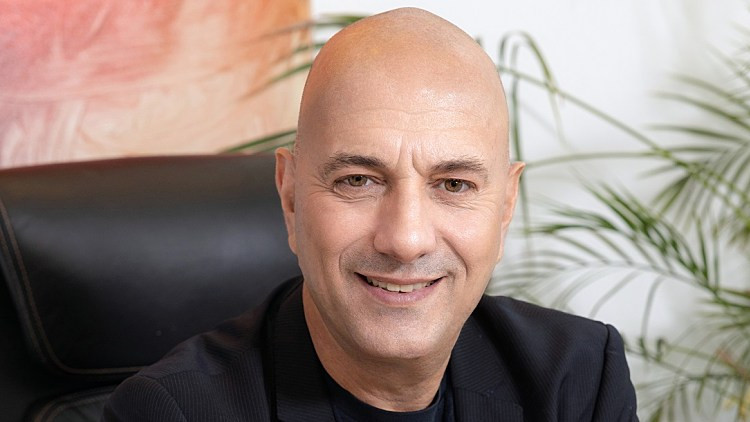
Eilon Zarmon
Get featured in this article
Place your brand in front of thousands of marketers and decision-makers. Pick the articles, add your links and anchor text, and our editors handle the integration — with an answer within 24 hours.
- $200Editorial Mention
- $500Expanded Editorial
- $1,250Featured Placement
We don't do link exchanges or free swaps — placements are paid and subject to editorial review. If a placement isn't approved, it's fully refunded.