Table of contents
- Why Most Shopify Store Owners Struggle With Paid Ads
- What Makes a Shopify Ad Actually Work
- How to Launch Your First Shopify Ad Campaign in 5 Steps
- Platform-by-Platform Breakdown for Shopify Advertisers
- Building a Creative Library Without a Design Team
- Budget Allocation Strategy for Shopify Store Owners
- The Fastest Path From Zero to Running Shopify Ads

Shopify ads don't require a $5,000-a-month agency retainer or an in-house creative team. With the right workflow and AI-powered tools, any store owner can build, test, and scale product ads across Meta, TikTok, and Google — starting today, on a limited budget.
Why Most Shopify Store Owners Struggle With Paid Ads
The gap between running a Shopify store and running profitable ads is wider than most people expect. The product is ready, the store converts, but the creative pipeline becomes the bottleneck. Hiring a freelance designer costs $50–$150 per static ad. A video editor charges $300–$800 per clip. An agency bundles all of that into a retainer that rarely makes economic sense below $30,000 in monthly revenue.
The result: store owners either overspend on creative that doesn't convert, or they delay launching ads altogether. Neither outcome builds the business. The smarter path is to eliminate the creative bottleneck without eliminating creative quality — and that is exactly what AI ad generation now makes possible.
According to Arbitrage Times, tighter margins across resale and direct-to-consumer channels in 2025 have pushed more independent sellers to cut agency costs and bring ad production in-house using AI tooling.
What Makes a Shopify Ad Actually Work
Before building any creative, understand the mechanics of a high-ROAS Shopify ad. Return on ad spend is driven by three variables: audience targeting, offer clarity, and creative quality. Of those three, creative quality is responsible for roughly 70% of ad performance variance, according to Meta's own internal research cited across multiple industry reports.
A high-performing Shopify ad typically includes:
- A single, specific product benefit stated in the first three seconds (video) or the headline (static)
- Social proof — a star rating, review count, or customer quote
- A clear call to action tied to urgency or scarcity when honest
- Platform-native formatting — 9:16 for TikTok and Reels, 1:1 for Facebook feed, 4:5 for Instagram
- Brand consistency — fonts, colors, and tone that match the store
The challenge is producing enough creative variants to test all of these combinations without burning through budget on production costs. That is where an AI Ads Generator changes the math entirely.
How to Launch Your First Shopify Ad Campaign in 5 Steps
- Define your single best product. Choose one hero SKU — ideally your highest-margin item with existing reviews. Trying to advertise your full catalog at launch dilutes budget and makes attribution impossible.
- Generate your ad creatives with AI. Use an Ecommerce Ad Creator to produce 4–6 creative variants from your product URL or images in minutes. Include at least two static ads and one video ad per campaign.
- Build your audiences. On Meta, start with broad targeting (age + country only) and let the algorithm find buyers. On TikTok, use interest stacks around your product category. Retargeting audiences come later once pixel data accumulates.
- Set a test budget and let it run. Allocate $20–$30 per day per ad set for a 5–7 day learning window. Do not adjust campaigns during this period. The algorithm needs at least 50 conversion events per ad set to exit the learning phase.
- Scale what wins, kill what doesn't. After the learning window, pause ad sets with a cost-per-purchase above your break-even CPA. Increase daily budget by 20% every 3–4 days on winning ad sets to avoid resetting the algorithm.
Platform-by-Platform Breakdown for Shopify Advertisers
Not every platform delivers the same ROAS for every product category. The table below summarizes what works where, based on aggregated performance data from DTC brands in 2024–2025.
| Platform | Best For | Avg. CPC Range | Recommended Ad Format | Min. Daily Budget |
|---|---|---|---|---|
| Meta (Facebook/Instagram) | Broad consumer products, fashion, home goods | $0.50–$2.00 | 1:1 Static + 9:16 Reels Video | $20/day |
| TikTok | Impulse purchases, beauty, fitness, gadgets | $0.20–$1.00 | 9:16 UGC-style video | $20/day |
| Google Shopping | High-intent buyers, branded or searched products | $0.30–$1.50 | Product listing ad (feed-based) | $15/day |
| YouTube | Higher-ticket items, demonstration-heavy products | $0.05–$0.30 (CPV) | 15–30 sec skippable in-stream | $25/day |
| Home decor, gifting, craft, seasonal items | $0.10–$1.50 | Static pin + idea pin video | $10/day |
For most Shopify stores launching their first paid campaign, Meta remains the highest-volume entry point. TikTok delivers stronger organic amplification of paid content. Running both simultaneously with a shared creative library — resized automatically for each platform — is the most capital-efficient approach.
Building a Creative Library Without a Design Team
Creative fatigue is the silent ROAS killer. Meta's data shows that ad frequency above 3.0 correlates with a measurable drop in click-through rate for most consumer product categories. That means a store running ads continuously needs fresh creative every 2–4 weeks at minimum.
Without a design team, the only scalable solution is AI-powered creative generation. A Facebook Ads Generator can produce platform-native static and video variants from a product URL or image set, with copy that reflects the product's actual benefits — not generic filler text.
For video specifically, Product Video Ads generation allows store owners to turn a single product image into a scroll-stopping video ad in minutes — no footage, no voiceover recording, no editor required.
The compounding effect matters here. A store that produces 6 new creatives per month and tests them continuously builds a data set within 90 days that reveals which hooks, formats, and offers resonate with its specific audience. That data becomes a competitive moat. Stores that rely on a single ad creative and never rotate it never build that moat.
For a deeper look at how to analyze which creatives are working and why, the AdGPT guide on the Ad Analysis Tool and how DTC brands beat creative fatigue covers the diagnostic framework in detail.
Budget Allocation Strategy for Shopify Store Owners
Tight budgets require tighter discipline. The following allocation model works for stores spending $500–$2,000 per month on paid advertising:
- 60% to prospecting campaigns — cold audiences discovering the product for the first time
- 25% to retargeting — visitors who viewed a product page or added to cart but did not purchase
- 15% to creative testing — dedicated low-budget ad sets running new creative variants to identify winners before scaling
The 15% creative testing budget is non-negotiable. Stores that skip it run the same creative until it exhausts, then scramble to replace it under pressure — usually making poor decisions with money that should have gone to proven assets.
Creative testing does not require expensive production. Using an AI ad generator to produce new static and video variants costs a fraction of what a freelancer charges per asset, which means the 15% testing budget stretches much further when production cost is near zero.
If your store sells products where pricing and margin optimization matters — particularly in multi-channel or resale contexts — the workflow described by how affiliate marketers use Ad Clone to scale compliant creatives fast translates directly to Shopify operators running multiple SKUs across platforms.
The Fastest Path From Zero to Running Shopify Ads
The compulsion to over-prepare before launching is one of the most expensive mistakes a Shopify store owner can make. Every week without ads is a week without data. Data — not intuition — is what determines which products, audiences, and creatives generate profitable returns.
The fastest credible path looks like this: pick one product, generate a small creative batch with an AI tool, set a modest daily budget, and let the campaign run for one learning window. The cost of a one-week test at $20 per day is $140. The cost of delaying that test by four weeks while perfecting creative is four weeks of market feedback that could have informed every decision that follows.
Shopify's own ecosystem — Shopify Audiences, Shopify Inbox data, and the Meta pixel via Shopify's native integration — gives store owners a meaningful targeting advantage over generic advertisers. Using that advantage with strong AI-generated creative and a disciplined budget structure is a repeatable system, not a one-time gamble.
Start with the AI Ads Generator to build your first creative batch, set your campaign live this week, and let the data do the work.
Frequently asked questions
What is the minimum budget to run Shopify ads profitably?
Which platform gives the best ROAS for Shopify stores?
How do I create Shopify ads without a designer or video editor?
How many ad creatives should I test at once?
How often should I refresh my Shopify ad creatives?
Do I need a Shopify app to run Facebook or TikTok ads?
🤖 Explore this article with AI


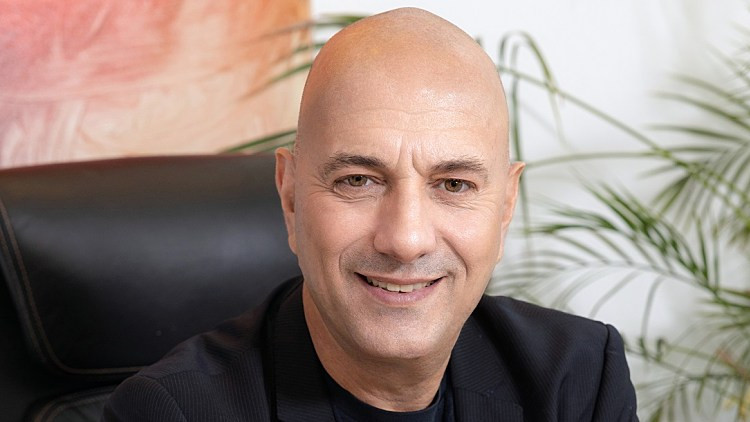
Eilon Zarmon
Get featured in this article
Place your brand in front of thousands of marketers and decision-makers. Pick the articles, add your links and anchor text, and our editors handle the integration — with an answer within 24 hours.
- $200Editorial Mention
- $500Expanded Editorial
- $1,250Featured Placement
We don't do link exchanges or free swaps — placements are paid and subject to editorial review. If a placement isn't approved, it's fully refunded.